


Did you notice that Google My Business Images are now showing in the SERPS
If you have been following our recent video tutorials on helping small business improve there results in Google search engine, you will be very familiar with the importance of encouraging local listings through the excellent Google My Business.
This article will reveal to you:
- Why in 2020 Google my images are even more important
- How you can gain more traffic with images
- How Google My Business images will bring enquiries to your business listing
- Bonus Feature: How you can improve the chances of Google My Business Images Showing in SERPS
If you are serious about improving your local search, then Google My Business is the perfect tool for getting local business. Make sure you dont miss the awesome guide called 13 google my business tips and tricks
Why in 2020 Google My Business images are even more important
We recently wrote that “The more photos you add, the more traffic will come to your Google My Business listing”. The analytics show that traffic to your Google My Business listing improves tenfold when you keep adding images. But a recent Google algorthm update suggests this is even more true than ever in 2020.
Why ? Because Google is now using the images to help locate new local businesses. So the images you are adding below for you Google My business entree are now appearing in the Search Engine Results Pages or SERPS for short.
Video: Google My Business Images How to get them into the search results
Timestamps for the video above
- 0:00 What we will cover
- 0:35 Purpose of this channel
- 0:55 Why are Google My Business Images so important today?
- 1:20 Why are images so important to Google?
- 1:30 Whats changed in serps?
- 2:05 Google SERPS on a Desktop
- 2:20 Remember the importance of 3-pack (VIDEO https://youtu.be/7bg97yJQP4I )
- 2:40 Simulate SERPS as if a mobile visitor
- 2:55 Mobile Search Engine Results Page (SERPS)
- 3:05 Search by photos
- 3:30 Complete listing as photos in Google My Business
- 3:55 What your business needs to do to benefit from “Search by photos”
- 4:02 Good starting point is Google My Business For Beginners (VIDEO https://www.youtube.com/playlist?list… )
- 4:20 fill out all of the basic requirements on your business
- 5:05 Confirm your business with postcard ideally (VIDEO https://youtu.be/EdD5-u-yWrw )
- 5:25 An unclaimed listing still not claimed
- 6:00 How do you get your images to appear local in Google’s eyes? (VIDEO https://youtu.be/Q49Q8Yh6giQ )
How you can gain more traffic with images
Here is an example of how the Google My Business images appear in the search results on a mobile. Its clearly another way Google is helping people find your business. Not only does it provide your business name, but also your rating in stars. Below is the example when I searched for a local hairdresser.
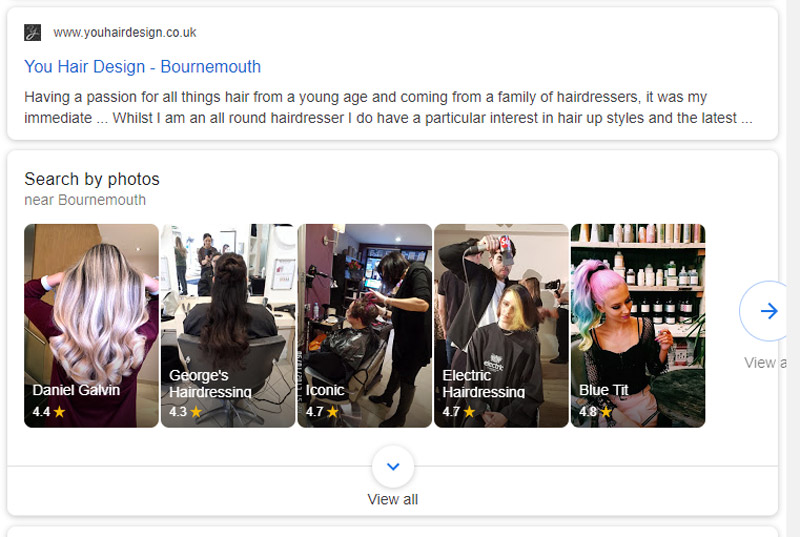
So with so many people using mobile searching, you can understand how this will help you gain more traffic with images to your business listing. Once they are on your listing. You need to make sure you have your quote button enabled to get enquiries the easy way. Don’t miss this superb step by step guide and video to help you get google my business quote button.
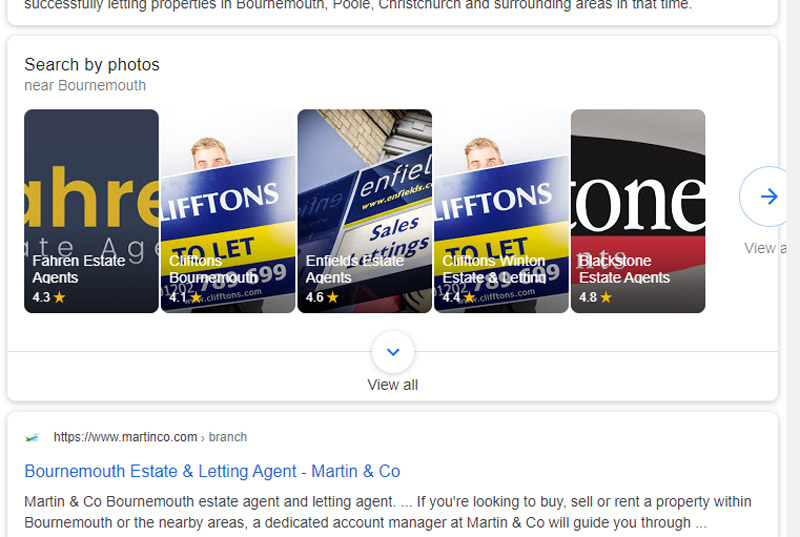
These images in the results are taken from the images you add within the GMB interface. So when you add your images , just remember that next time they could be representing your business. So think twice and think about the relevancy to your business before you upload images into your GMB listing

After building a large library of relevant and unique images for your business, notice how they are now appearing in the SERPS. This is an example of Estate agents on my phone.
How Google My Business images will bring enquiries to your business listing
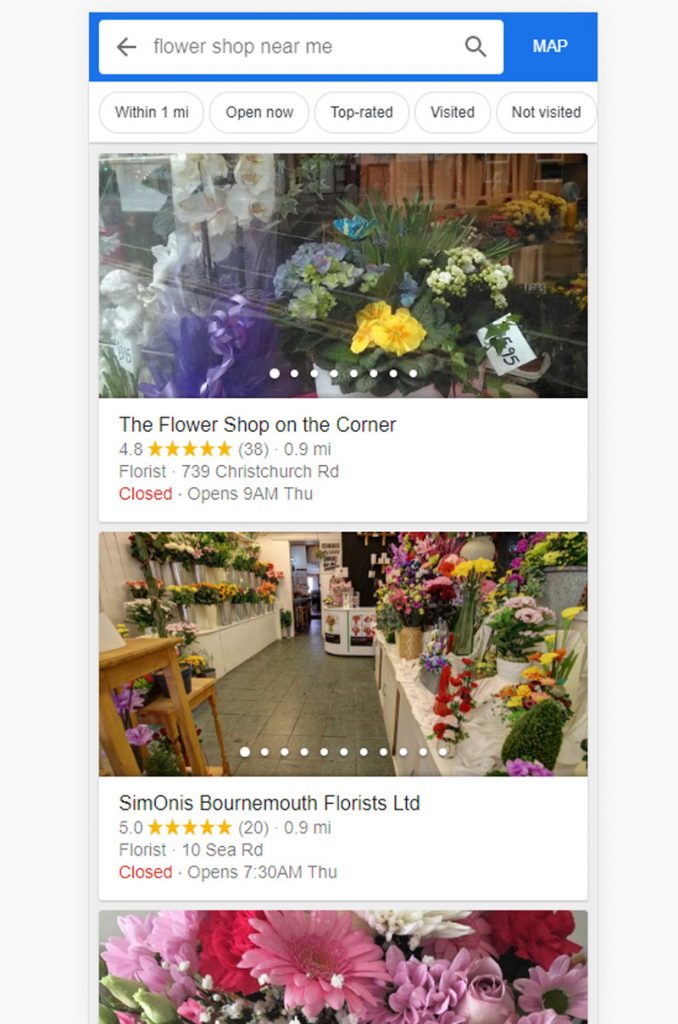
Once a potential client has made a search for lets say flowers. His mobile will show him the nearest flowershops to his GPS location providing they have done the following:
- Claimed or registered their Google My Business
- The location is close by to the phone user
- Uploaded some high quality unique images to their listing, ideally geo tagged
- Confirmed they are a registered company
- Have a reasonably decent rating and well optimised listing
So I stand in my high street and search fro flowers and this is what I get on my phone
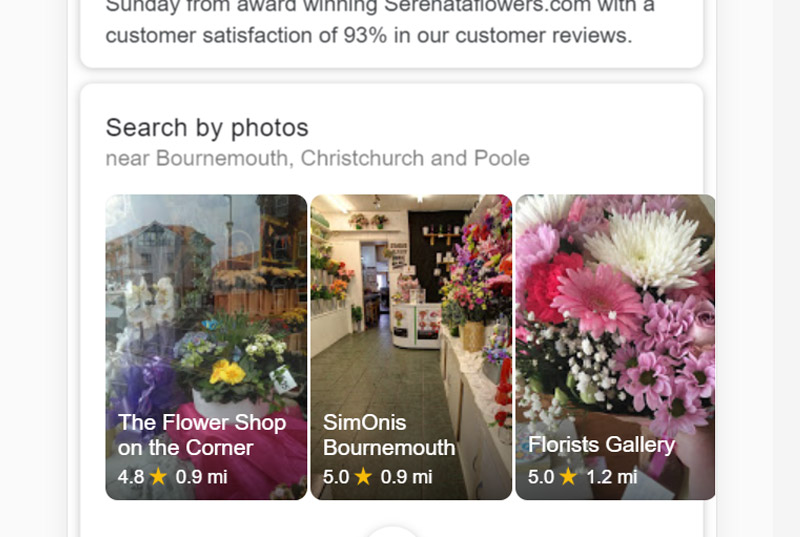
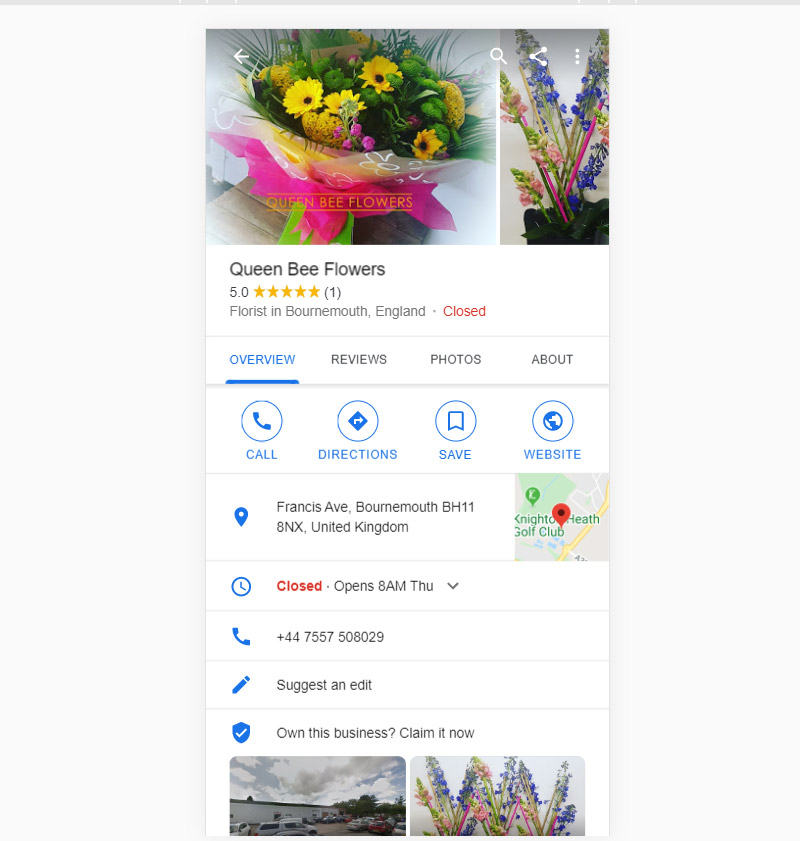
If I click on one of the buttons for more options i get a further detailed list. Also each of these shops are linked directly to the detail business listing after clicking their image. So I get something like this for more details.
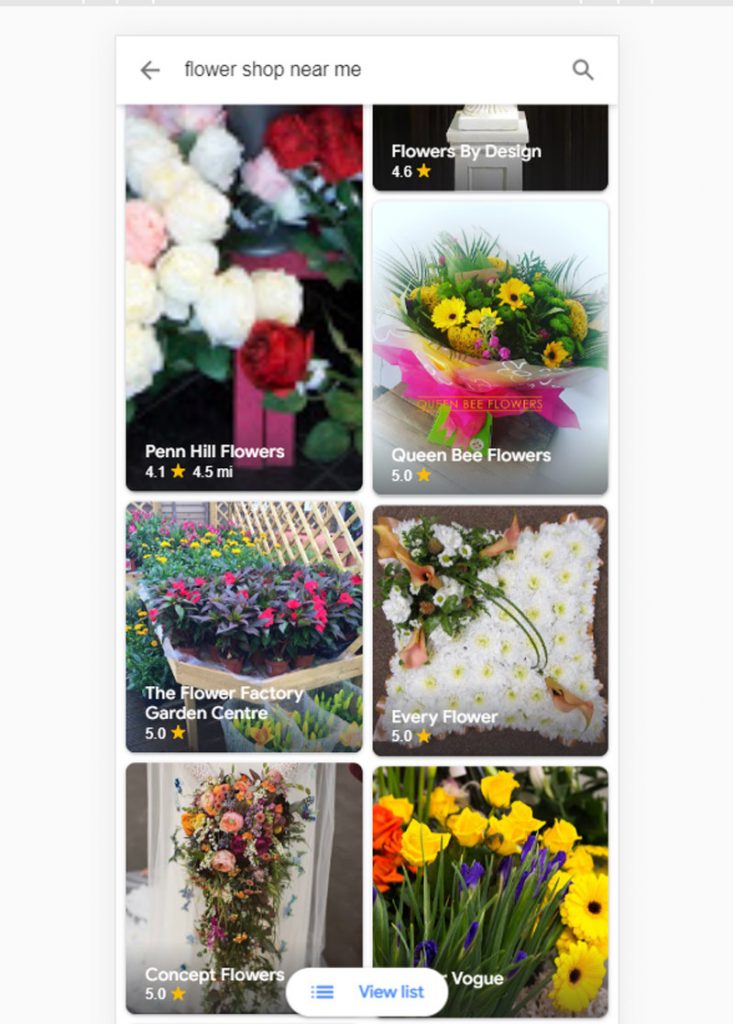
Here is the detailed version
Detailed version on a mobile, here you can make an order of intent and view the details of the business
Bonus Feature: How you can improve the chances of Google My Business Images showing in SERPS?
Well not everyone does this. It will give you a small advantage over your competitors. Though its not as powerful as it used to be so don’t worry to much if you havent made this a high priority. Its to geo tag your images. So if you want to do this for free follow my video below as its a really simple little trick
Conclusion
Google My Business is totally free to use. Images make up a huge part of the traffic according to the analytics. This week Google started rolling out search results using GMB images. So here is the summary of what you need to do.
- Post more images than ever as it will get you traffic
- Add photos of your products and services as well and try to fill in all areas of images. keep the images unique relvent and high quality
- Use Geo tagging on your images to help them relate to the location of your business – see this video as a bonus
Thanks for joining me on this ever evolving journey. If you really want to become efficient on Google My Business then be sure to subscribe for more web design tips : http://bit.ly/zanetsub