


We all love little tips and tricks. But Photos have the potential to INSTANTLY Boost Traffic. This article will show you how and why
Google Business Photos Recently Changed, so there is a NEW Way to use them in 2023
Most business owners focus on keywords or reviews, to get traffic. Yet photos make such a big difference to your business and can bring in insane traffic.
With insane traffic, you would think this has to be the only way forward for local businesses wanting tom optimize and get loads of enquiries. Yet while photos are an incredibly powerful traffic source, they can also be very misleading.
So misleading, Google looks like it’s about to scrap the photo insights.
I was like yeah I get that adding photos will make traffic but it takes effort to get it, going out with a photographer and actually thinking about the photos to take
I just didn’t bother doing it and I think that’s often what happens with our small businesses, we focus too much on getting 5-star reviews rather than getting those important photos that can make all of the difference
So in the video above, I show you three easy places to add photos and control them, why they are so powerful and yet why they are also misleading. You need to take 10 minutes out and watch it, as it is full of value. and looks at your common questions including, How do you control the cover photo, and logo? Do you geotag? Where do you add keywords?
Photos Tips In Google Business Profile: Photos Are Misleading
Why do i get a million views and no phone calls – let’s take that first, why do I say it’s misleading?
Well in the video above i show you how it appears to suggest a lot of views, so much but in reality it’s not converting,
We know Google saw it as misleading as they are now changing it. This week expert Joy Hawkins confirms it’s not going to new format she said “photo insights that existed in the Google My Business dashboard, this is NOT going to be moved over to the new dashboard that is rolling out right now to everyone.”
So that makes sense
Photos Tips In Google Business Profile : Photos Are Powerful
powerful!!!!
still can be a massive way to get traffic
Take these 3 questions
- Are your photos of the highest quality and inspiring to potential visitors?
- How do your photos compare to the competition
- How does Google understand your photos?
Are your photos of highest quality and inspiring to potential visitors?
Well its always going to be down to high-quality photos they work and this link from Google will help
https://support.google.com/business/answer/6103862#photo-guidelines
Notice in their guide that all the info is clear on what is required. Think of emotions that come from photos. Photos that are inspiring or appeal to the brain’s emotions work well
How do your photos compare to the competition
just type in and see if most won’t be great, but look at the ones that are working and make your own version
https://support.google.com/business/answer/6103862#photo-guidelines
3 types of photos
There are several types of photos that you can add to your Business Profile:
Logo: Help your customers recognise your business on Google. For businesses that have their basic information, such as a phone number or hours of operation, the Business Profile highlights the logo.
Cover photo: Set a cover photo at the top of your profile that best represents your business. In some instances, this action doesn’t guarantee the cover photo will show up as the first image for your business.
Business photos: Add different photos to highlight features of your business to attract and inform customers. Learn more about business photos.
How Does Google understand your photos ?
Google cloud API see https://cloud.google.com/vision#section-2
Google my business is forever changing its setup. The images you post in your gallery are often used to present themselves as your main representation for your business. But most business owners have no idea how to control them. This video and article are going to provide you with everything you need to control these powerful images and give you some great tips along the way.
Frequently Asked Questions
No, Google doesn’t like duplicated photos, keep them unique and it works a lot better. If you have any of the same then you can easily delete them see https://youtu.be/T54ByYnyJ1U
On Your GBP (Google Business Profile)go to photos, then add logo on the menu. iIts then a case of labelleing it as a logo see this link for addtional guidance https://zanet.co.uk/how-to-add-my-business-to-google-maps/
I would suggest 2120 by 1192 pixels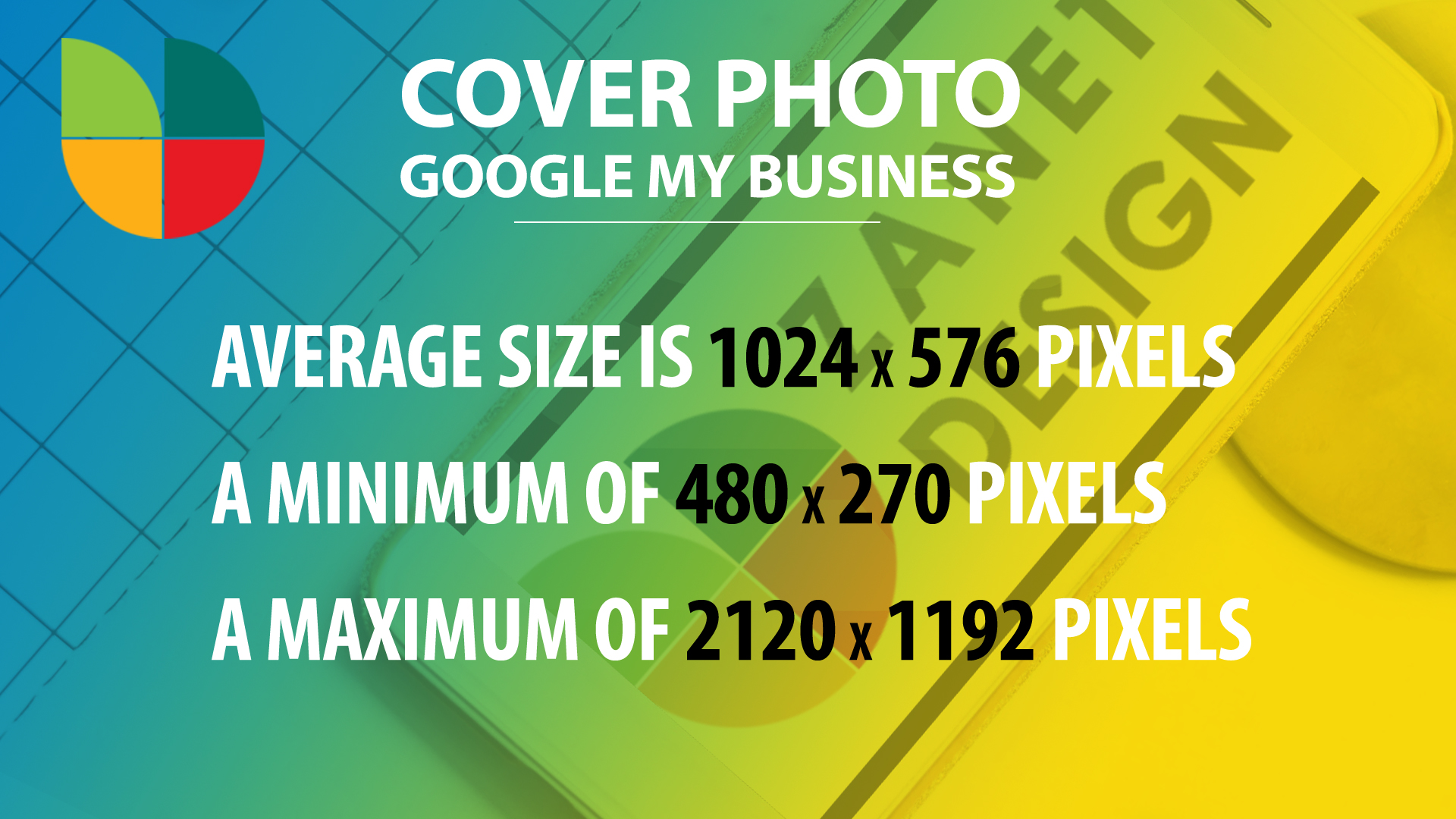
Before You Add Anymore Google My Business photos…
Before You Add anymore Google My Business photos make sure you Watch This Video
If you want to add Google My Business Photos the correct way then watch this video. It is actually episode 4 in the Free Google My Business Course 2021series.

I look at the method to take your photos out of Instagram, Facebook, Yell and other social media platforms and the simplest way to get them showing in your GMB listing. What type of photos should you add? How important are photos to making a sale? Did you know Google thinks photos are one of the most important factors in GMB?
How To Add Photos In Google My Business Video Experiment
Here is the video on Youtube, feel free to comment below if you have any questions