


Google My Business Errors and reports are quite common. The last thing you want is a potential GMB suspension.
The most common question I’m currently receiving is about Google My Business Problems. GMB Errors and reports of issues are quite common. But more businesses are finding a small error is now leading to potential suspension. Yet we all make mistakes in life. We all need to learn from them. Google My Business has seemingly up set many people in the past as they will often suspend a business account and yet they give very little reason for doing so. You may of experienced that yourself.
This article will take a look at:
- Why are GMB errors so common and reported in the first place?
- A timestamp to parts of the video showing you some common errors
- How Google My Business errors could possibly occur
- Bonus Feature: How you can resolve some common errors directly with Google
As a Google My Business expert, you may be inclined to watch my recent guide on 13 google my business tips and tricks from my YouTube channel.
Why is it so easy to get a Google My Business error?
One of the biggest errors currently seen is the google my business steps to unlock quotes This cause great frustration as its a known error that appears for so many clients trying to resolve their “View Plan” issue. Additionally don’t miss this superb step by step guide and video to help you get google my business quote button if you havent already enabled it on your listing.
When Google My Business errors do occur, then it gets reported, then Google approach the owner of the business listing and then the owners approach me after watching one of my videos, they are almost always in tears. Saying Google have suspended them, but given no reason. Yet when you drill down into it with them, their is very often a good reason for the warning before a suspension.

What Google My Business Quality Control team have masterfully done by not giving detail away and not telling the owner where the issue is. By keeping it as a broad with the advice being well “read our policy, you have broken the guidelines” This means that business owners are now scrambling around trying to scratch there heads as to what might of upset Google My Business and probably clean up more issues than Google was aware of before asking for a reevaluation.
Video: Google My Business Errors, 7 Tips To Avoid Suspension
Timestamps for the video above
- 0:20 Intro to the possible Google My Business Errors
- 0:40 Einstein quote about mistakes and errors
- 1:20 Avoid using Spam names. Keep title real and consistent
- 2:35 Name examples
- 3:10 indexes like Yell and Yelp pick up the inconsistencies
- 3:35 Error of more than one location in the listing
- 4:15 Stick to the surroundings of the location
- 4:55 Estate agents example as an exception
- 5:15 Avoid too many keywords in posts
- 5:35 Post articles every seven days
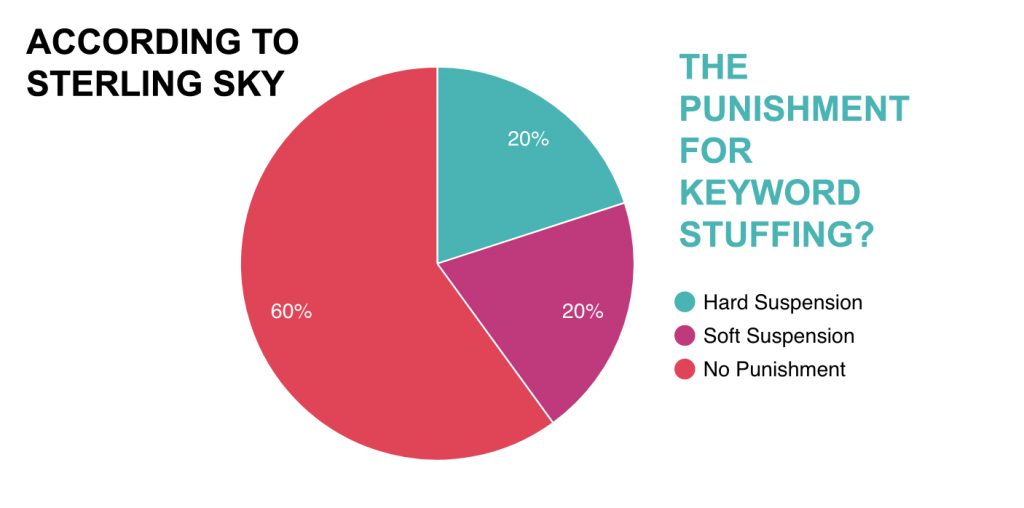
- 5:50 Do not keyword stuff
- 5:55 Example of suspension for Google My Business Error
- 6:50 Mistakes and errors can lead to improvement
- 7:40 Adding photos
- 8:05 Photos bring in huge traffic
- 8:30 Error is using copyright images
- 9:50 Reporting violation and fake reviews
- 10:40 Categories should be accurate and relevant
- 11:05 Why Irrelevant Categories don’t work
- 11:25 Keep an eye out for relevant categories though
- 12:10 Check your consistency across the citations
- 12:40 Example of scanning for consistency
- 13:15 Check your N.A.P (NAP VIDEO)
- 13:45 Reporting spam
How you can gain knowledge from errors
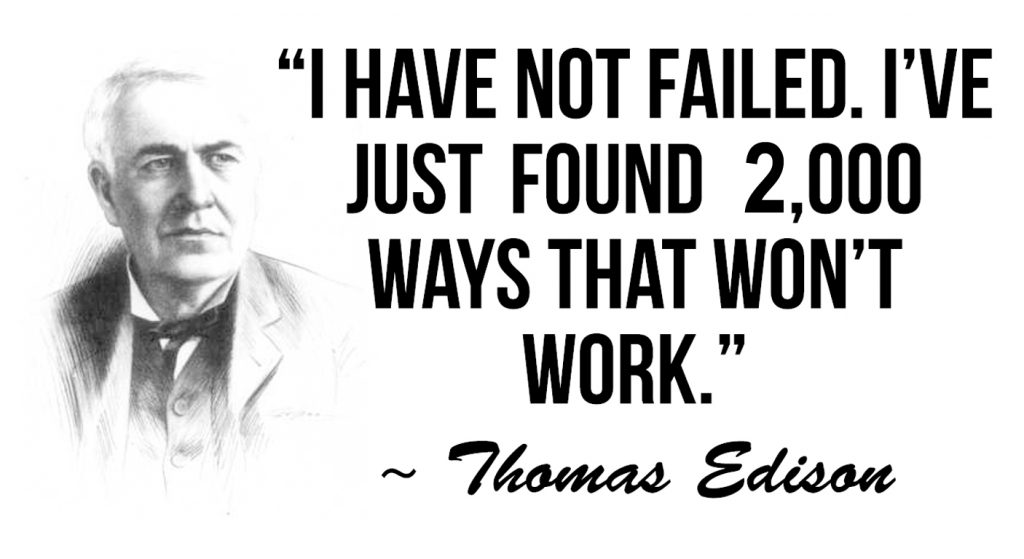
Thomas Edison didn’t write about Google My Business Errors, but he was rather good at inventing light bulbs. In fact he tried two thousand different materials in search of a filament for the light bulb. When none worked satisfactorily, his assistant complained, “All our work is in vain. We have learned nothing.” Edison replied very confidently, “Oh, we have come a long way and we have learned a lot. We now know that there are two thousand elements which we cannot use to make a good light bulb.” So keep it positive if things go wrong. Most the time Google My Business team will give you a “Get out of jail free card” before a suspension if things go wrong.
But most business owners just want to know where is the mistakes. Why has a genuine error been given such a harsh sentence. Todays video is to try and help you identify where that error could be.

Everyone should be entitled to learn from their mistakes and have another chance. As Albert Einstein once said “Anyone who has never made a mistake has never tried anything new.”
Contacting Google My Business Support Team Directly
How can you resolve some common errors directly with Google My Business team? The quickest and most effective way I’ve found is to communicate with them on Facebook (https://www.facebook.com/googlemybusiness) by either posting on their wall or messaging the page directly, or you can Tweet them or direct message them on Twitter using https://twitter.com/googlemybiz
Conclusion
- Avoid Spam like Company Names. Just keep the title real and consistent with your registered company name.
- Avoid listing your business in more than one location listing unless of course you do have separate offices, then its fine. What you can do to cover a more broad range is to choose surrounding areas and cities by registering as a service
(SEE VIDEO https://youtu.be/XFwH1Fcr5BY) - Avoid writing posts with keyword stuffing, but do update your posts at least once every seven days.
- Avoid using photos that don’t belong to you. Google reads photos like you read a book. So using others photos or using copyrighted images will not go down well.
- Don’t ask for fake reviews. Google checks reviews and often can spot spam. Its just not worth taking the chance if you have an honest business. So avoid incentives to avoid suspension. Reviews do not have a massive impact on your overall rating in the map pack. It helps but its not the only reason businesses are ranked.
- Relevant categories are really important. Make sure you choose only the most relevant. So keep an eye on the list of categories. They are often updated. After choosing your prime category, add a couple of sub categories, but only if they are a service or product you offer.
- Avoid inconsistent listings. Your Name , Address and Phone number is very important to Google. What it sees from other listings helps Google decide how relevant your business is to the local community.
For greater details you can read Google’s policy on spam content here : https://support.google.com/contributionpolicy/answer/7400114?ref_topic=7422769
Google My Business is an awesome tool and if you show it respect and patience when things go wrong, normally in time things do get resolved. If you really want to become efficient on Google My Business then be sure to subscribe for more web design tips : http://bit.ly/zanetsub