


15 years accessible web design has been enforced.
Let’s look back on how accessible web sites were back in the day, before the law came in. In October 2004 the laws were passed and since then most CMS’s have helped us comply with recommendations. CMS’s like WordPress, Magneto, Joomla and Drupal have built management systems that encourage accessibility.
In 2000 when I was new Bournemouth web designer, I took several courses on the importance of accessible web design. In its infant days very few web sites were designed with anyone in mind other than their own office team. Everyone was expected to be the average user using the average browser. Tables were used for layouts and if it was visually pleasing then that’s all that was required. The view was if you want to see my web site then fit in with me. Can you believe it? How times have changed.
Accessible Web Design : How it all began
I started working on encouraging Web designers to think about everyone, not just themselves. I remember using the illustration of a shop with a steep stairway. Would it be correct to expect a person in a wheel chair to miss out on visiting their shop, surely that would be discrimination? So the message became clear, that accessible web design is essential.
However, I thought it would be useful to go back to some of the articles on web accessibility and see what has changed in the 15 years since we brought this into web design. So below are excerpts from my article written back in 2004 and comments and updates throughout the article.
Why all websites should be accessible
From October 2004, you could be in breach of the law if your website is seen to discriminate against those with disabilities. (We had a forum to put questions to the experts in a member’s area that was free and easy to use.) This article covers the misconceptions, issues and benefits of having a website that is accessible by all.
Web accessibility toolbar chrome
The easiest way to design accessible web sites today; is use something like WordPress or a solid CMS and follow good practice. There are accessibility checkers available, but most of these are very invisible. Until last year Google Accessibility offered a chrome extension tool called “Accessibility Developer Tools” but this is no longer needed as it’s now integrated into the Chrome browser itself.

Time needed: 10 minutes
- Where is the web accessibility toolbar in chrome?
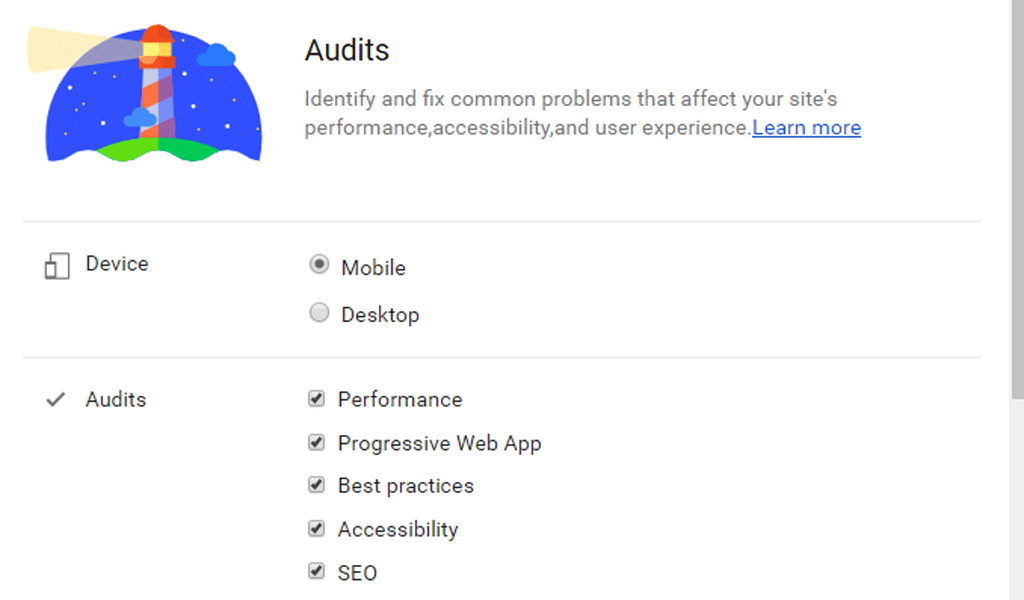
The web accessibility toolbar in chrome is accessed by visiting the page you want to check. Then right click and go to Dev Tools, click the Audits tab. Dev Tools shows you various configuration options.

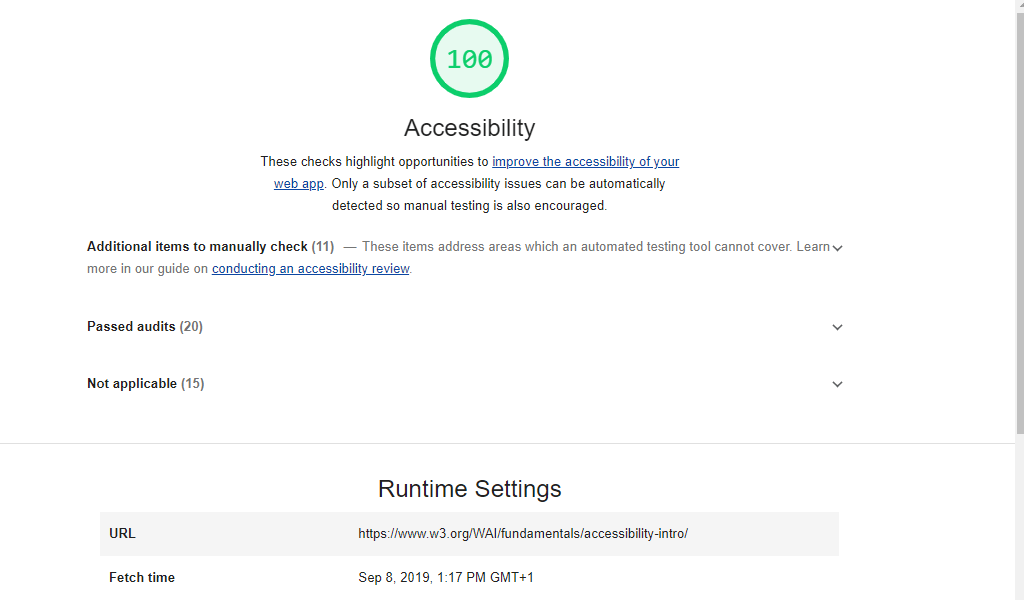
If you have a successful audit, you will get a green 100% approval. Any issues then just follow the instructions given.
Website Bobby approved?
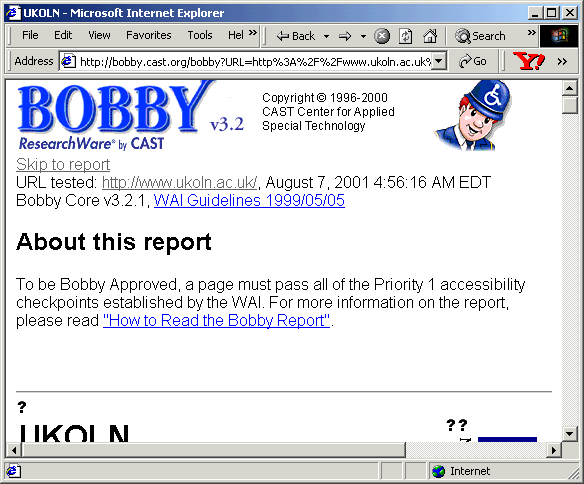
Before the amazing tools above, you would spend weeks ironing out issues that were raised via some scans on 3rd party websites. The one that comes to mind most today was a website called Bobby by Watchfire. It no longer exists as it served its purpose by changing the way the web design industry designs web sites.
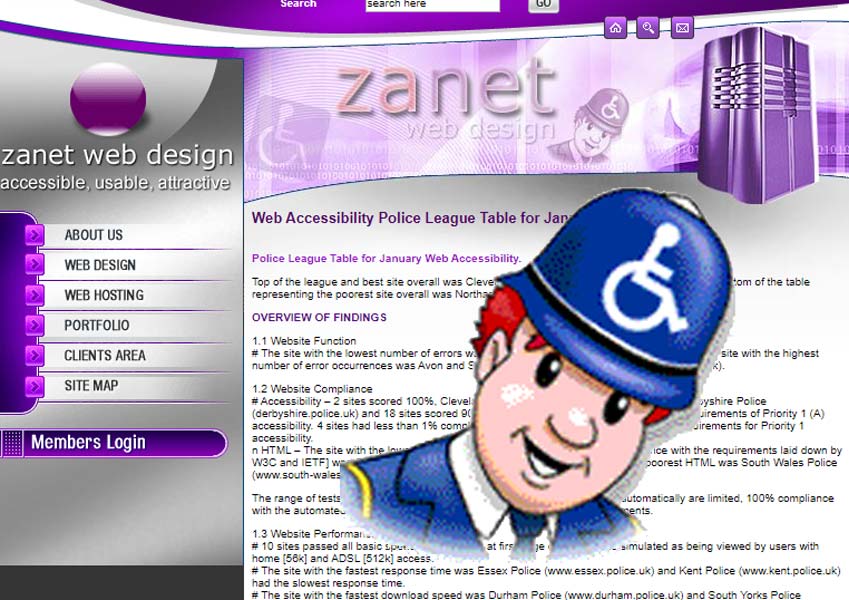
What happened to Bobby research by Cast? Well it was later bought out by Watchfire. From its founding in 1996, Watchfire became a large Website Management software and services. Through automated testing, analysis and reporting capabilities, Watchfire helped us detect and manage content quality, privacy, and accessibility issues on the largest and most complex sites.
Remember Watchfire WebXact?
Watchfire then released in 2003 the amazing (in its day) Bobby version 5.0. This had Improved scanning functionality, Improved Section 508/WCAG reporting, Spiders through more Internet technologies than ever before, Integrates with HTML editors so you can fix issues quickly and easily. Suddenly you have found a way of making web accessibility a less painful process.
As of February 1, 2008 the Watchfire WebXact and Bobby Online products will no longer be publicly available. As an IBM Company, Watchfire will continue to invest in accessibility through the IBM Rational Policy Tester Accessibility Edition solution (previously WebXM Accessibility Module).
The web was now changing. Most website building tools now popular like FrontPage, Immediacy and Dreamweaver offered clear accessibility guidelines and references to fix any issues. WCAG or Web Content Accessibility Guidelines managed to produces a single shared standard for web content accessibility that meets the needs of individuals, organizations, and governments internationally. A real victory for us designers who had worked on bringing this to the fore for years.
Web accessibility misconceptions
It’s quite staggering to look back on some of the views and perspectives back in the days of early web design. Below is an excerpt of a web page written almost 16 years ago. Its purpose was to help change people’s view and help them understand what we were trying to achieve.
5 misconceptions about accessible web design back in 2004
1) Accessibility is just about blind people.
Although it may appear to focus on blind people. Accessibility is about making websites accessible to the widest possible audience. This includes users with motor deficiencies such as arthritis or old age which make using a mouse difficult or impossible. Users with cognitive difficulties ranging from dyslexia to not being able to speak the language fluently. Or simply users that wish to access your website with a device that does not have a mouse, keyboard or normal size screen. By the end of 2004 over 743 million people will have access to the Internet. Most will be using mobile phones and PDA’s.
2) Just create a text only version of your website.
This is too simplistic a solution and is not recommended other than as a last resort. Accessibility is similar to Usability in that it is not a yes/no situation. Websites can be easier or harder to use, similarly websites can be more or less accessible to different users depending on how the site has been implemented. A plain text website may be ideal for a completely blind user with a screen reader. However it is not going to make much difference to someone who can’t use a mouse.
3) Nobody is going to sue me.
In 2000 a blind person successfully sued the Sydney Olympic organisers for approximately £8000 for not providing a sufficiently accessible website. More importantly it cost them far more than this to then re-develop the website to meet accessibility guidelines. A precedent already exists and the Disability Rights Commission intends ’get tough’ with the 81% of websites that fall foul of accessibility standards. The legal issue is not really the point though as you will see that the non ethical/legal case for accessibility more than warrants the effort in making your next website more accessible.
4) Building accessible websites is too complicated and expensive.
This is only partially true. Retrofitting an existing website may be very difficult, in the same way that making a 16th century building wheelchair accessible would be expensive to the point of being impractical. The good news is that most websites can be made more accessible than they are currently by making a few relatively inexpensive changes. Even so, if you wish to be as accessible as possible you need to plan your website with accessibility in mind from its inception.
Costs of developing a new website with basic accessibility should be no more expensive than a non-accessible website, higher levels of accessibility may cost more depending on the complexity of your site. The level of accessibility that your website can achieve is split into three levels. Achieving level 1 is not difficult and should be the minimum that all websites should meet. The UK government currently recommends that all sites should comply with level 2 accessibility requirements. But the RNIB recommends a combination of all level 1, most of level 2 and a few level 3 items in order to qualify for the RNIB certification. Whatever level you choose, if you plan accessibility carefully from inception any additional costs should be more than covered by the additional advantages.
5) Accessible websites are ugly.
Developing accessible websites is a relatively new skill. Early accessible websites were indeed rather unattractive, netXtra has developed over 20 websites with varying levels of accessibility and in most cases, you would not be able to distinguish them from a non-accessible website.
Web accessibility issues
The article of 2004 then tackled some of the issues I had to face when training other webmasters in a classroom environment. They raised several issues like what about the browser and equipment. It’s hard to imagine now having so few compatibility standards, but in those days there were so few things that integrated as every company was more interested in their own devices and point of view, rather than helping those that had real needs.
3 common issues for accessible web design back in 2004
1) How ’disabled’ users access your website.
How a user accesses your site depends on their equipment and particular disability. A blind user has a screen reader that literally reads out the content of every page. Alternatively they use a Braille reader which converts the content of the site into Braille. It’s hard, the experience his likened to reading a book through a straw. With equipment lacking a pointing device or users who cannot use a mouse, users typically ’tab’ between links. So careful implementation of menu bars is required to ensure that ’tabbing’ works. Finally and probably the largest group, are those who manipulate the size of text so that they can read it more easily. This applies to the elderly as well as the young who increasingly will try and access your website through their mobile phone.
2) Development philosophy.
So how do you cater for such a wide range of needs? Well the problem is analogous to the browser compatibility issues that still face websites today. You can either create a different version of your website for each browser/user or develop websites using current best practice guidelines. It is now widely accepted that creating multiple versions is completely impractical and will never be able to cater for every possible variation. The solution is therefore to develop a single site and implement web standards and accessibility functionality. Although this means it will not look or behave exactly the same to each user, it will always work in the best possible way based on the limitations of that user or their hardware.
3) How much accessibility do you need?
Like usability, the easier a website is to use or the more accessible a website is, the better, but obviously there are diminishing returns for additional effort spent in these areas. As with most things, the trick is to achieve the right balance between content, design, technology, implementation and testing. Making a single page website very easy to use and accessible to everybody is very easy. Achieving the same ease of use and accessibility on a large complex site would require a huge effort. netXtra can help you decide on a suitable level of accessibility as part of its design process.
Web accessibility benefits
4 benefits of having an accessible web site:
1) Larger potential audience.
An accessible site means more users can access your website easily. In the UK alone you could increase your audience by about 8.5 million disabled users and the growing millions of users who are starting to use their new mobile phones to surf the Internet.
2) More visitors.
The single most important ’disabled’ users are the search engines. When implementing accessibility, many of the changes make it easier for search engines to ’see’ your entire website. If they can ‘see’ your entire site, they can then include all your pages in the search results, this increases your chances of being found, which in turn means more visitors will find and visit your website.
3) More loyal customers.
The principles of designing accessible sites, when applied correctly can make web pages load quicker. A faster loading web site is a design that’s easier to use for all users. Then your website makes the user happier. Hereby users are more likely to come back or recommend you to others. Most importantly, happy users become loyal customers.
4) Lower long term costs.
Developing an accessible website using current best practice web standards means that websites are easier to maintain. Additionally web sites are easier to re-skin. They also require less bandwidth and server capacity. Thereby it can be cheaper to run.
The conclusions drawn in 2004
1) Accessibility, when applied correctly, has greater advantages than simply making the website available to the blind.
2) Retrofitting accessibility is far harder than including it in the first place. So include it in your next site re-design.
3) Prioritise yet be sensible about accessibility, huge efforts in one area can be completely wasted if other areas are ignored.
I think it’s fair to say that the conclusions still hold true today. The thing that changed most in the past 16 years is it’s now fully accepted and so much easier to provide an accessible web design. WAI from W3C provide the latest direction. In fact in most cases you would be working hard to avoid following the guidelines.