


Is it possible to add your business to Google Maps in under 2 minutes?
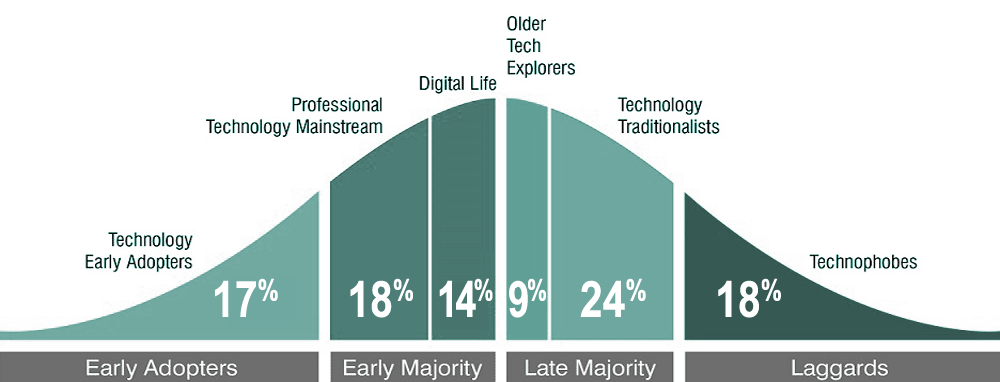
It appears to me that often the unknown is what scares people most. While only 17% of people are known as early adopters, the majority of businesses make up a percentage of people that are slow to embrace new technology. This is one you don’t want to be late on and there is still room to take advantage of this free registration.
This article and videos will reveal to you the following:
- The challenge to add a business in under 2 minutes explained.
- The video of the challenge on How To Add Your Business On Google Maps
- Other things to consider in Google Maps and Google My Business
How To Add Your Business On Google Maps in under 2 minutes challenge
I like to challenge myself. I’ve also heard lots of my visitors and YouTube subscribers complain they don’t know how to even get started. I get it. Sometimes there are too many assumptions in life and this is that page that avoids assumptions.
It’s incredibly simple to add your business to Google maps. By doing so you get several benefits including:
- Free exposure to people searching locally to you Free advertising on the worlds biggest search engine
- Ability to demonstrate your products
- Opportunity to run promotions and offers
- Exposure of your brand
- Ability to take phone calls and enquires via Google free app.
- The use of Googles directions for visitors wanting to find you on Google Maps.
Video: How To Add Your Business On Google Maps in under 2 minutes.
Other things to consider in Google Maps and Google My Business
It’s hard to imagine why over half of the businesses in your high street or local area havent yet added there business to Google Map. If its takes 2 minutes then surely the only reason is they don’t know how to. Well hopefully you have now followed the quick tutorial above and you are already now ahead of the competition.
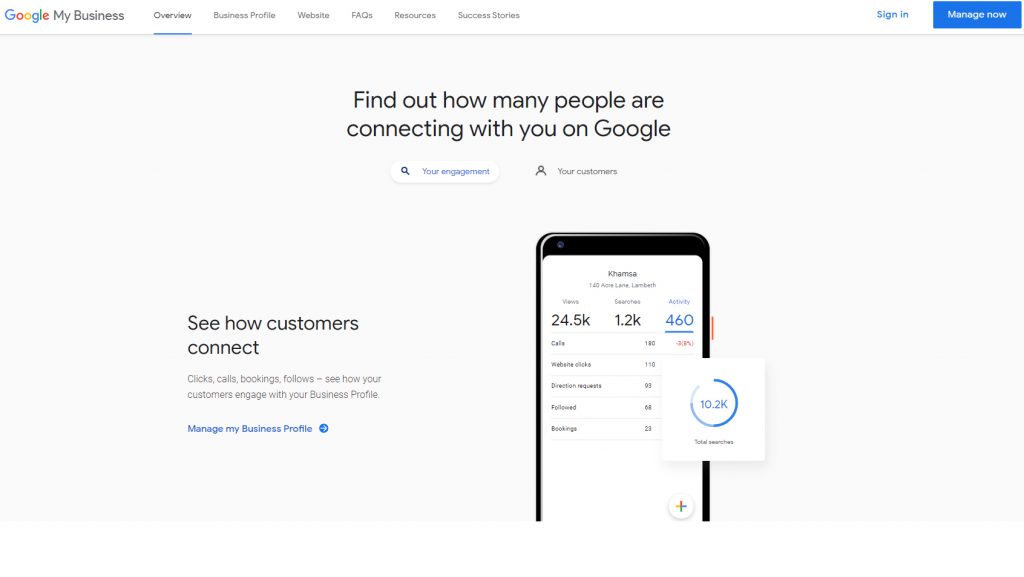
But I’m not just going to leave you there. Here are some more things you can do to move the listing forward once you have received the verification postcard and confirmed everything with Google.
You need to GRAB Your Google My Business Location Today! Are you aware you can add your Google my Business location 3 different ways? So visit https://zanet.co.uk/how-to-claim-my-business-on-google-maps/ for more details on the 3 ways I help clients register there business.
3 Ways to claim your business
- 0:00 Introduction to Google maps for business
- 0:50 Google maps
- 1:56 Google Search
- 2:34 Google My Business
- 3:26 How to verify your business
To add or claim your business listing Then try 1 of the following 3 ways
1. Go to Google maps and click “Claim this business” after typing in your company name. Just visit https://www.google.com/maps
or
2. Use Google search and type in your business. You should then see a side listing if your business has been registered fro you. Click” Own this business?” on https://www.google.com/ and follow the process
or
3. Go to the Google Business home page at https://www.google.com/intl/en_uk/bus… and register your business. Click Claim this business.
Conclusion
Of course there are loads of other tips and tricks I’ve covered in Google My Business tutorials. For example take a look at My 3 Google My Business Hacks To Get Ahead in 2020
Google My Business will continue to grow in importance for local businesses. It’s the most important SEO you can currently do for your business. If you want to really grow your Google My Business listing ahead of your competitors, then make sure you catch-up on our top 13 tricks video: 13 google my business tips and tricks Don’t let this opportunity pass you by while I have some spare capacity.
So take action today! If you need help then contact me on my contact page and let me get your business listing optimised and setup and some traffic through your website.