


How To Increase Google Page Speed INSTANTLY for your business website
One of the most difficult challenges Google has thrown at small businesses in recent years is the challenge to meet the criteria for page speed. Page speed is really important to a visitor and forms part of their user experience. Google wants its top results to promote the best user experience. So another hop webmasters now need to consider.
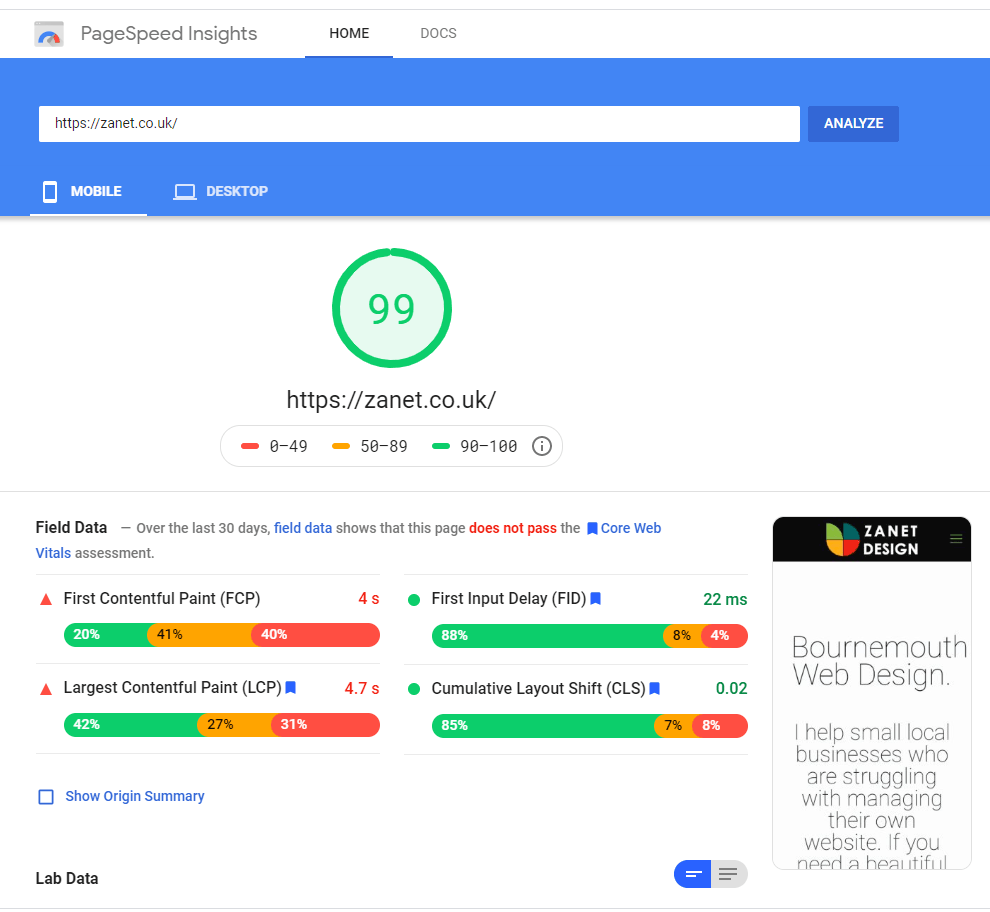
So you have Google Search Console or someone suggested you use a tool to test your page and site speed. If you have lost heart when you view your website on a report via page speed insights or if you have used the excellent Gtmetrix.com to see how your site performs and why it’s slow, then I’m with you totally.
What’s worse is I’ve been auditing other websites including my own and without me knowing Google has raised the bar so that many of my web pages that were fine 6 months ago are now in the red! I’ve been too busy to address and discover these “optimization opportunities” and ignored them.
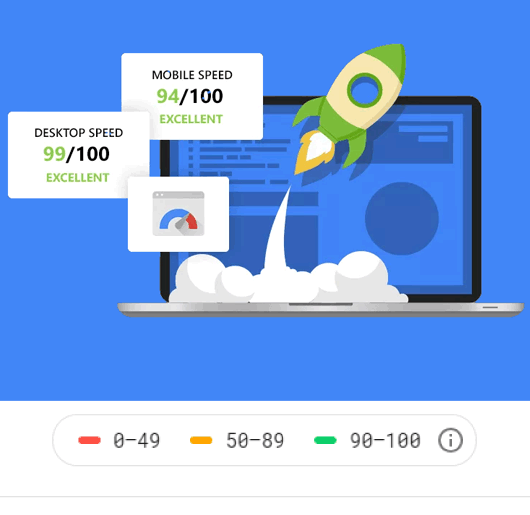
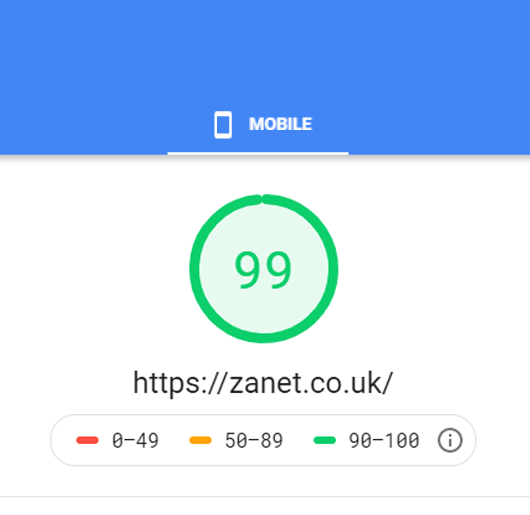
“From a Red 10 to a Green 99 in 10 minutes flat for mobile and desktop page speed!”
Zanet Design
So in today’s video, I’m really excited to say I went from Red 10 to Green 99 in less than 10 minutes and remarkably it was for FREE. I recently discovered an incredible and very easy to implement a plugin for WordPress and so today’s video is going to show you exactly how it went as I recorded it live and you can hear in my voice I was genuinely surprised at how good it was.
This article and video will help you :
- What my score was before I added the WordPress plugin
- How I Increased Google Page Speed in 10 minutes from Red to Green
- What various options are there to increase google page speed
- Why page speed matters to your small business website
What my score was before I added the WordPress plugin
Time needed: 5 minutes
If you using WordPress this is even easier
- Test your page speed for mobile and desktop
Red and Amber are not acceptable, lets make it green in no time at all, just head over to https://developers.google.com/speed/pagespeed/insights/ to see your score

- Now search and add a WordPress plugin called NitroPack
Just add an account for your CDN and follow the guide, it’s incredibly intuitive
- Finally after following the simple steps go back to Page Speed.
I ran the test 5 minutes later, see the video of live results.

How I Increased Google Page Speed in 10 minutes from Red to Green: Live Video
Note: In the above video I did raise the question, why did the FCP still show the same value and over 4 seconds? Well if I looked in more detail I would have noticed I was looking at Field Date over the last 30 days and not the specific value of the page there and then which was below in the lab data at an amazing 1.1seconds
What various options are there to increase google page speed?
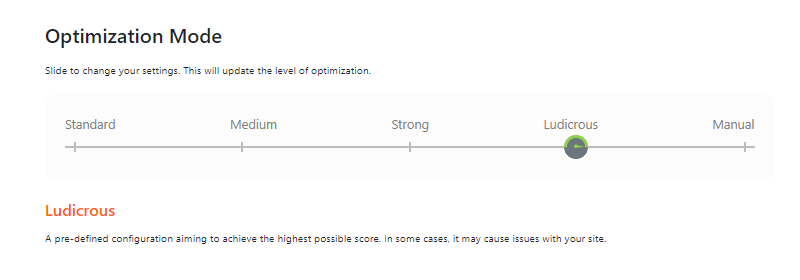
Nitropack comes with 5 Optimization Modes. you just slide the slider to change your settings. This will update the level of optimization, though you do need to purge the cache thereafter.
STANDARD
Standard Optimisation mode on NitroPack WordPress plugin is a pre-defined configuration without much regard for a high score. Enough to get you up and running but no more than that really
MEDIUM
Standard Optimisation mode on NitroPack WordPress plugin is a pre-defined configuration that should make a big impact for most small websites. Medium is well-balanced and suitable for most cases.
STRONG
Nitropack recommends strong as the default option. It includes advanced features like automatic image lazy loading and font definition modification. May cause issues in some cases.
LUDICROUS
Ludicrous Optimisation mode on NitroPack WordPress plugin goes another level! A pre-defined configuration aiming to achieve the highest possible score. In some cases, it may cause issues with your site.
MANUAL
Manual optimisation mode requires you to log onto your online account and set up your own modifications.
The free version gives you a generous 500 MB available resource storage. All of the packages offered including free allow for some rather incredible features and means you need to install a lot fewer plugins on your WordPress website. So having Advanced Resource Loader, a Built-in high-speed CDN using Amazon CloudFront along with a lazy loading and unlimited automatic image optimization.
When you first start it seems hesitant to cache. So I asked them how often should I purge the cache? They say you should not need to do a cache purge / invalidate manually at all unless you change the optimisation mode.
You only need to re-purge in case you want to force NitroPack.io to re-cache the updated site content immediately. In most cases, NitroPack.io takes care of updating the content automatically.
Why page speed matters to your small business website
In the past, we assumed SEO was all about the keywords and the way you collected backlinks. It was. But Google realised that the experience wasn’t always ideal when sites were manipulated by large SEO engineers and link farms. So Google has since explained that usability and user experience are now a very large factor to the ranking system.
Site speed and page speed is one of the signals used by Google’s algorithm to rank pages. Pages with a longer load time tend to have higher bounce rates and lower average time on page. This is now going to affect your Google ranking.
What Next?
If you need to build your business correctly, you need to optimise it by care and by hand. Feel free to follow any of my free tutorials on Youtube, or better still book a consultation with me and I will do my best to give you the right advice tailored for your business.
After an experienced professional to manage your website and help your small business grow on the web?
Let me know what is needed on my contact page and we can take a look at some great solutions together.